Coding has changed faster in the last few years than in the decade before it. Developers are no longer working alone with just Stack Overflow and documentation tabs everywhere. Today, AI coding tools act like pair programmers—sometimes helpful, sometimes surprisingly creative, and often a huge time saver.
Here’s a humanized look at some of the best AI coding tools developers are actually using right now.
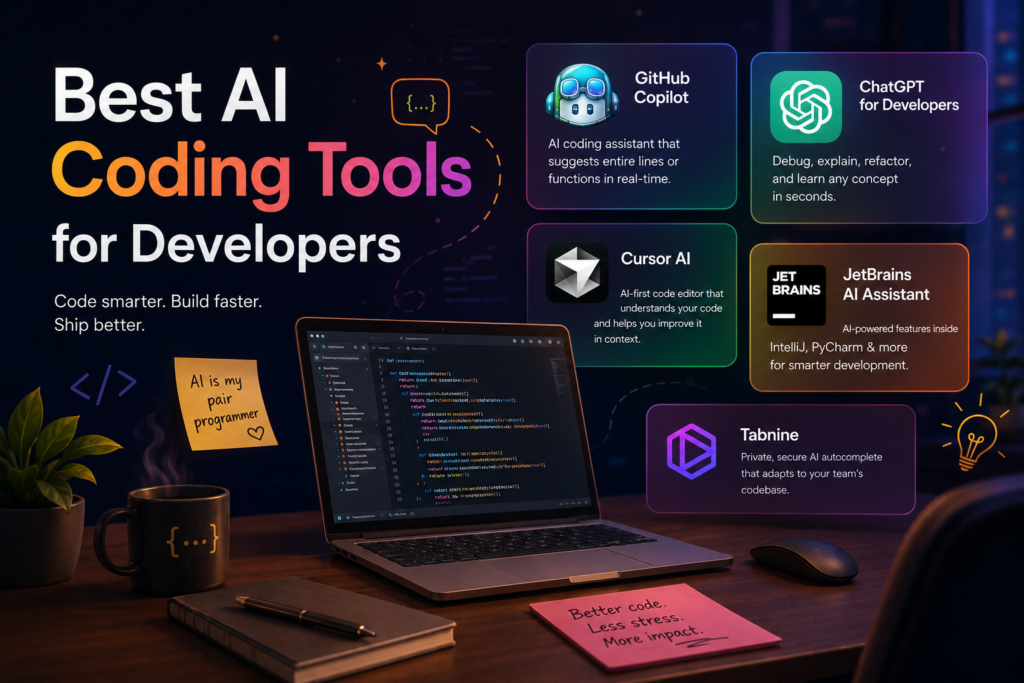
1. GitHub Copilot
GitHub Copilot is probably the most well-known AI coding assistant. It integrates directly into editors like VS Code and suggests whole lines or even full functions as you type.
What makes it useful isn’t just speed—it’s flow. You stay in the zone longer because you’re not constantly stopping to Google syntax or boilerplate code. It’s especially strong for Python, JavaScript, and web development.
2. ChatGPT for Developers
OpenAI tools like ChatGPT have become a daily companion for developers. You can debug errors, generate code snippets, explain complex algorithms, or even refactor messy functions.
The real advantage is flexibility. Unlike traditional IDE tools, you can ask why something is wrong, not just what is wrong. It’s like having a senior developer who never gets tired of answering questions.
3. Cursor AI
Cursor is a rising star among AI-first code editors. It’s built on the idea that AI shouldn’t just assist coding—it should be part of the editor itself.
You can highlight a block of code and ask it to “improve performance” or “convert this into TypeScript,” and it actually rewrites it in context. It feels less like a plugin and more like a collaborative environment.
4. JetBrains AI Assistant
JetBrains has added AI features into its popular IDEs like IntelliJ IDEA and PyCharm. This is especially useful for enterprise developers working with large, complex codebases.
It shines in understanding project structure, suggesting refactors, and helping maintain clean architecture across big teams.
5. Tabnine
Tabnine focuses heavily on privacy and enterprise usage. It offers AI autocomplete that can be trained on your team’s codebase.
If Copilot feels too general, Tabnine feels more “your team’s brain.” It’s lightweight, fast, and designed for developers who care about security and customization.
Final Thoughts
AI coding tools are not replacing developers—they’re changing what developers spend time on. Instead of writing repetitive code, you’re designing logic, solving problems, and reviewing AI output with a sharper eye.
The best approach? Don’t rely on one tool. Mix them based on your workflow. Use Copilot for speed, ChatGPT for understanding, and IDE-based tools for structure.
Because in 2026, the smartest developer isn’t the one who types the fastest—it’s the one who knows how to collaborate with AI effectively.
Read More About How Developers Use AI to Code Faster